
VISOR (Virtual Interface for Settings, Options, and Repositioning) is the voice assistant inside Stellar Cafe. It’s the menu you can talk to. Say “VISOR”, and a small purple speech bubble pops into the world - ready to teleport you, adjust your seat height, or handle anything you’d normally dig through settings for. It feels obvious now but it didn’t at the start.
Keep Designing
Like all good designs, VISOR was made to solve a problem. A classic problem in VR is, how do we move around? A core tenant of AstroBeam is to build comfortable and accessible experiences. We decided that players stay seated, and we needed a way for the user to move from seat to seat with ease.
Our first design constraints.
The user needs a simple way to move to another seat.
We tried dozens of different methods for moving around the cafe:
Point-to-teleport (failed: you can’t always see every seat)
Distance Grab Seat (failed: not intuitive)
Menu button per seat number (failed: too many options / choice paralysis)
Wrist-snapped physical menu (failed: awkward while holding items)
World-space floating menu (failed: people forgot where they left it)
Mini-map with seat buttons (failed: too many options / choice paralysis)
After these prototypes and countless iterations on their design, we had our eureka moment, “why don't we just talk to it, like we do with everything else in the game?”
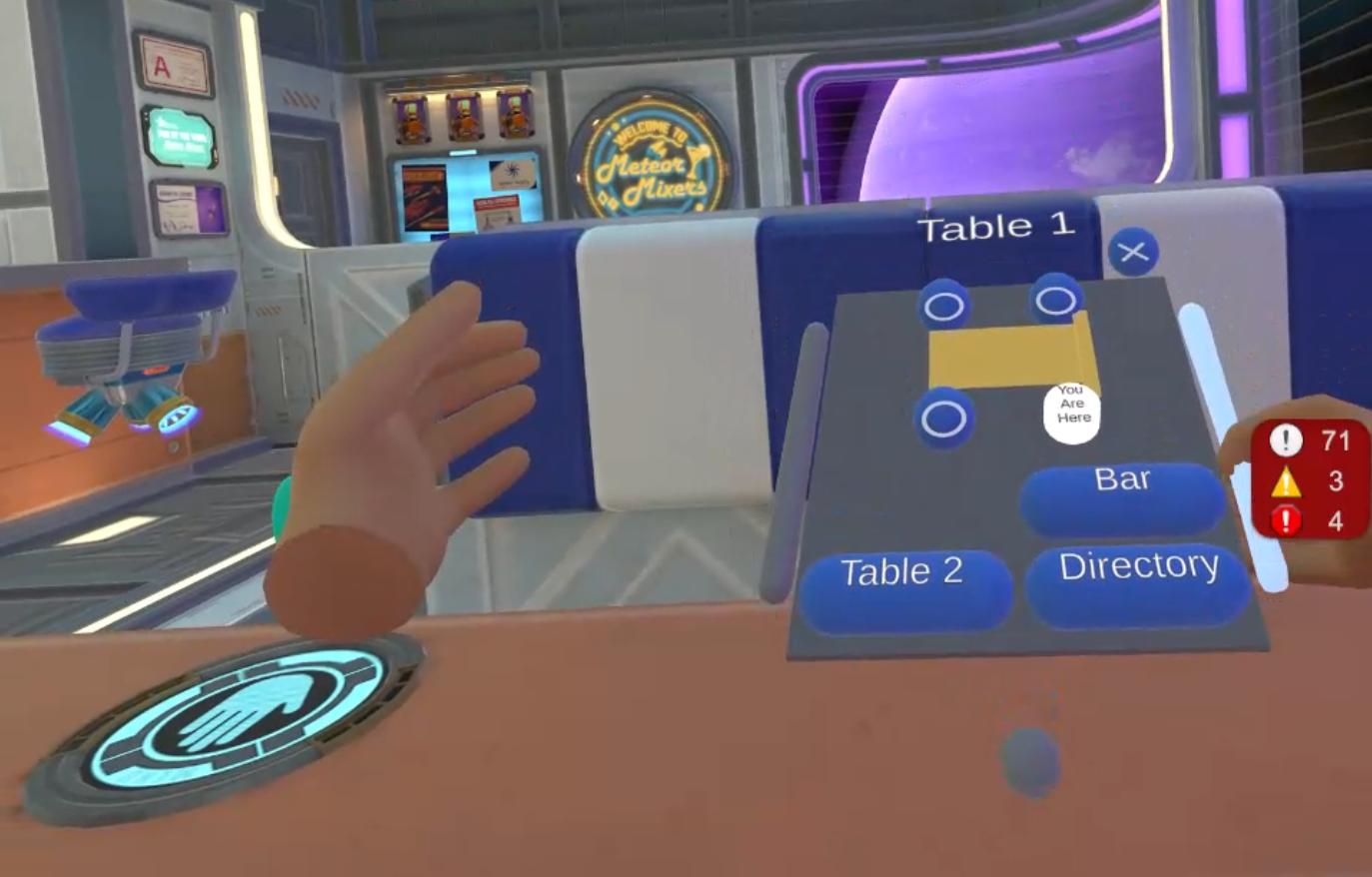
Image: Early menu prototype for teleporting between seats.
Say The Word
So, we built out a system that allowed users to move using voice commands. However, we still had the physical teleport menu available as well. During playtests, most users still defaulted to the physical menu. Not because it was better, but because it was certain. It always took you exactly where you intended, VISOR at the time did not. In a game built on voice, a voice menu that occasionally guesses wrong doesn’t feel quirky, it feels broken.
When we noticed that most people (including us) kept defaulting to the physical menu instead of the voice version, it was a clear sign. We weren’t being forced to solve the real problems. So we deleted the physical menu. With no fallback, VISOR had to be good, every time.
More than anything, we needed to build trust with the user. No matter how a user described their destination, it had to work. VISOR needed to get them to the right place whether they gave a detailed description or almost none at all. Each successful teleport built that confidence. As that trust grew, users stopped speaking to VISOR in an overly structured way, and started speaking naturally.
Now our constraints are:
The user needs a simple way to move to another seat.
Voice input Only.
An early VISOR design was on the user's wrist. Looking at your wrist for ~1 second would pop open VISOR who you could then ask to move you around the cafe. This worked great, until it didn't. While playtesting one of our developers was wearing an Apple Watch and when they went to talk to VISOR, Siri answered, completely breaking immersion. Seems like Apple beat us to this solution, and we were going to need a different approach
Now our constraints are:
The user needs a simple way to move to another seat.
Voice input Only.
Cannot be on your wrist.
New constraints mean we need to change the design. VISOR’s next iteration was an ethereal voice listening to your request. Removing it from your wrist means we needed to add a wake phrase. How else would VISOR know if we’re talking to them, or to another robot?
Most (if not all) voice-based assistants that people interact with require a “wake phrase" (ex: “Xbox on”, “Hey Siri”, “Ok Google”). Up until this point we stayed away from keywords/wake phrases. We avoided these patterns because they’re often associated with keyword-based tools that don’t understand natural language. Since Stellar Cafe does support full natural-language input, we don’t want users to make that incorrect assumption.
Normally, users have to say a wake phrase, wait for the app to respond, and then give their command in a second sentence. This can feel awkward and unnatural. VISOR works differently. Like an NPC, it’s always listening, so people can speak naturally in a single breath without pausing or repeating themselves. For example, “Take me to the back table, VISOR” works just as well as “VISOR… take me to the back table.”
Whatchamacallit
The problem with natural language is that it's different for everyone. If the user wants to go to the table in front of them, how do they know what to say? Often, they’d feel choice paralysis, or are afraid to say the wrong thing. Initially, to help the user navigate the space, we added labels on top of every area when VISOR was in use. This gave grounding to what things are called (ex: “front table”, “back table”, “counter”), and gave the user a starting point on how to describe where they want to go. However, this also ended up causing more problems than it fixed. By telling the user what to call each area it created way too strong of an association, and the user would never refer to an area by anything other than what was on the label. This removed the need for the users to express themselves uniquely by creating and putting stress on the user to remember what we labeled each area. Instead of it being a helpful hint, it became a pseudo key word.
Repeating labels also feels clinical. There’s not much joy in saying “front table” when you could say, “Take me to the robot who looks like they just got back from the beach.” Letting users be playful, creative, and expressive can make even mundane tasks feel fun. So we removed the labels and focused on the real solution. Which is to make as many user descriptions as possible valid.
Now our constraints are:
The user needs a simple way to move to another seat.
Voice input Only.
Cannot be on your wrist.
Speech feels natural.
Even though this approach met our design constraints, it introduced a different problem. Invisible assistants lack social cues. Wearables like Meta’s glasses are starting to normalize speaking to an always-available system, but the interaction can still feel ambiguous. Where should your gaze go when you speak? Do you look away from the robot you were addressing? And without an embodied presence or obvious signal, how do you know VISOR is listening and ready?
Without any visuals, users paused, waiting for feedback from VISOR before they would continue to speak. In the same way they expect to say “hey alexa” and hear a noise and see the lights change. Our solution pops up a cute avatar, anytime the users say VISOR.
Now our constraints are:
The user needs a simple way to move to another seat.
Voice input Only.
Cannot be on your wrist.
Speech feels natural.
Clear visuals when waiting for command.
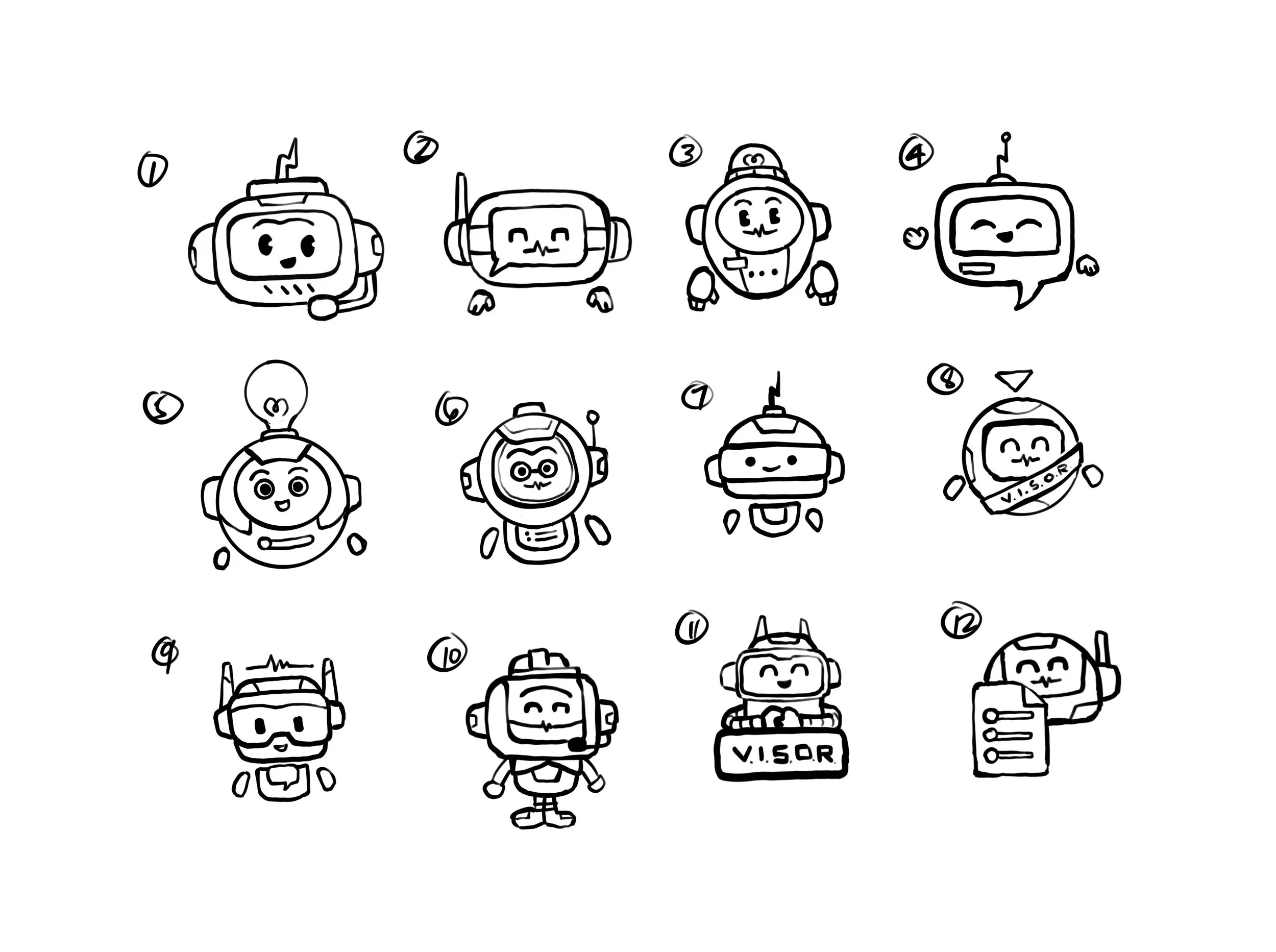
Image: VISOR concept sketches, different “faces” for the same job, showing it’s listening without stealing the scene.
Be As Clear As Mud
Once we had a wake phrase and visual feedback, the next challenge was bigger. How do we let users speak naturally without memorizing specific phrases? We do not like keywords because the user should not be expected to have to remember dozens of specific phrases just to play our game. Even giving the smallest hints as to what an area is called quickly becomes law to the user.
Additionally we needed to design for natural language, as everyone has a unique way of speaking, and we need to create a good experience for all users.
Now our constraints are:
The user needs a simple way to move to another seat.
Voice input Only.
Cannot be on your wrist.
Speech feels natural.
Clear visuals when waiting for command.
Understand meaning, not exact wording, and follow through.
If the user says, “take me to the purple robot”, “I want to go to the other table”, “Let’s sit with that punk guy” or even “Take me there” while looking at the back table, VISOR will teleport the user to the back table to sit with Ted.
LLM agents are great at picking out and understanding what the user means when given vague or partial information. VISOR’s prompt is dynamically updated whenever something changes in the cafe, we provide the current state of everything visor needs to know. Who is there, what they look like and where everything is in relation to one another as well at where the user is looking. VISOR then generates its response from the prompt we built for it, and figures out exactly which seat the user wants, sometimes even to the surprise of the dev team.
During one playtest a user said, “I want to talk to that rock star.” Nothing in our prompt described anyone as a rock star. Yet, VISOR immediately teleported them to Ted. It was a genuinely mind-blowing moment to watch it understand a vibe and still land on the right seat. To the user, it wasn’t magic. It was simply what should happen.
This was one of our hardest design challenges. We solved it not by enumerating every possible input-output pair (which would be painfully complex and time-consuming), but by providing enough real-time context for the LLM to generalize. This handles not just the cases we anticipated, but hundreds we never would have thought of.
Just One More Feature
After teleporting worked, we realized the same approach could replace the rest of the menu, too. Let’s cram it full of features.
✓ Move User
✓ Adjust Seat Height
✓ Save game
✓ Load game
✓ Quit Game
✓ Onboarding
✓ Gatekeeping
✓ Secret behind the scenes dev tool the user will never see
And more!
Jamming in functionally requires the user to remember a lot more. VISOR is just an avatar, there are no visual menu options. Unfortunately people don’t remember things reliably, especially mid-game, or worse coming back after days or even weeks since they last played. This problem ended up solving itself. Don’t know if save slot A is empty, ask VISOR. Do you want to quit the game, ask VISOR. Did you forget what you’re supposed to do in the game, that's right you ask VISOR. The only thing a user cannot ask VISOR is the one critical step, how to open it. Then we realized the best tutorial was already in the scene, our NPCs.
We made NPCs aware of VISOR. Any time a user asked about something VISOR could handle, the NPC would naturally mention how to open and use it. That turned into “how do I…?” moments into contextual teaching, without popups or a separate help UI. Just a little quip from the NPC “If you want to go somewhere, just say ‘visor’ and …”
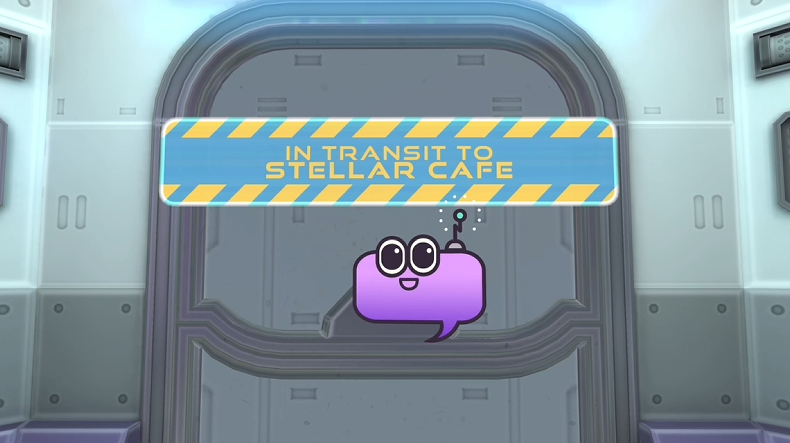
Image: VISOR checking in on the users seat height during Onboarding. This makes it feel more like a conversation than a settings screen.
In the End, It’s About Intent
VISOR has been one of the most interesting and surprising parts of Stellar Cafe. Built for necessity, it always surprises the user (and sometimes the dev team) on how well it works. Like all good design, it solves multiple problems,(seat adjustment, quitting, save/loading, etc)
It's friendly, doesn't impose, and understands your intention. VISOR works because it treats speech as intent, not input. In the end, VISOR isn't a voice-controlled UI. Its intent was made visible.
